
Looking for guidance addressing functionality and aesthetics in complex applications? Join us on Tuesday, July 9, for an all-day tutorial, "Visual Usability: Visual Design Principles and Practices for Creating Great Web and Mobile Application Interfaces," at the UXPA national conference in Washington, DC.
Through lectures, guidelines, examples, and hands-on exercises, we'll show you our approach for making visual design decisions that reinforce usability best practices and provide interfaces people value. You’ll learn the characteristics of “visually usable” apps so you’ll know what to shoot for. You'll also get an introduction to the visual design “tools” for digital apps – layout, type, color, imagery, and controls and affordances – and learn how to use them to help people understand and enjoy what they see.
Visit our tutorial page to find out more, and hope to see you in July!
Join us for a visual usability tutorial at the UXPA national conference in July!
Posted:
Thursday, June 20, 2013 |
Posted by
Debby Levinson
|
Labels:
conferences,
news,
user interface,
visual design,
visual usability
0
comments
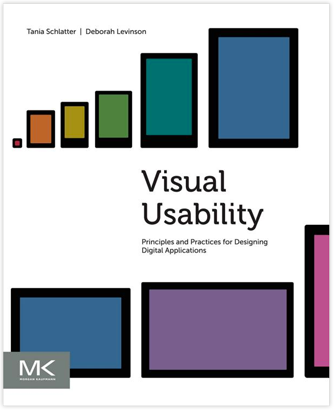
Visual Usability: Principles and Practices for Designing Digital Applications
Posted:
Thursday, June 6, 2013 |
Posted by
Debby Levinson
|
Labels:
design education,
design tips for web app developers,
usability,
visual design,
visual usability
0
comments
Our work involves constantly reconciling use and appearance. This
isn't a new or novel struggle; it's inherent to designing, and
evident in the gap between applications that look great and those
that are highly functional.
Digital interfaces rely on common visual design tools to
communicate – layout, type, color, and imagery, along with
controls and affordances. We've written Visual Usability:
Principles and Practices for Designing Digital Applications
to provide a common language for defining and evaluating visual
user interfaces that's grounded in how people perceive and
interpret what they see.
Visual Usability provides simple, clear frameworks for
designing web and mobile interfaces for meaning and appeal. It
helps application design and development teams make interface
decisions by focusing on three "meta-principles" we believe form
the foundation of great application visual design: consistency,
hierarchy, and personality. Each chapter offers guidance on how to
make strategic decisions about layout, type, color, imagery, and
controls and affordances that will bridge the gap between
beautiful and useful applications.
We're thrilled to announce that the book is now available on Amazon, bn.com, Elsevier.com, and elsewhere! We hope you check it
out, and that it provides value to your team.
We are blogging examples of visual usability regularly via Tumblr
at visualusability.tumblr.com, and tweeting them at
@VisualUsability. We hope to see you there!
Thoughts on "What great design can do for data"
Posted:
Monday, May 20, 2013 |
Posted by
Tania Schlatter
|
Labels:
process,
servicedesign,
user experience
0
comments
A founder of the design firm Fjord wrote an insightful article for Fortune about design helping companies make sense of data. From the article:
Designers know how to take complex or disparate information and make it tangible, understandable, and importantly, more human. ...
Technologists on the other hand, tend to try to structure data in a flexible way. They analyze it, dashboard it, and cross-reference it to make it more efficient and intelligent.
Both approaches are needed. The data needs to be flexible enough to enable users to manipulate it to find the insights they seek.
Design of the data display and controls to manipulate data need to be clear enough to enable people to work with what they see. From the article:
Here are some ways that design can help companies make sense of their data and identify opportunities to turn it into a benefit for their customers:
- Use data to guide, not dictate: Use data to build a backdrop of understanding and learning, but don't let data trump creative inspiration or minimize the importance of leaps of faith.
- Obsess with your customers: Extend the data insights and value from your organization to your customers.
- Mess up your data: We live in a messy world. How can you make your pure data fit a messy world? Use design to make it personal and emotional, and tell stories.
- Instead of understanding data only, make sure you understand people: You're planning to hire another data scientist to make sense of the growing data mountain you've got? How about hiring a psychologist instead?
- Major on elegance and simplicity: The science of data can be complex, abstract, and ugly. Design will help you simplify and bring clarity. Good design can also present data in elegant and beautiful ways, drawing people in where they were previously turned off.
- Take creative leaps of faith: A creative process that uses intuition and imagination can give you innovations that data alone can't provide. This is crucial if you want to reimagine your business or invent something new.
This list speaks to the fact that data, even well-designed data, needs to have an editorial or curatorial layer that either guides people to the stories that are relevant to them, or otherwise helps to highlight the significance. Getting this right involves deep understanding of what the data can show, knowing who is likely to be interested in what, and using interface and information design to make sense of the display.
CafePress information architecture and user experience
Posted:
Thursday, May 9, 2013 |
Posted by
Tania Schlatter
|
Labels:
information architecture,
portfolio,
user experience
0
comments
CafePress is an established custom printing e-tailer. We worked with the product marketing team to improve how people find products on their site. We conducted a heuristic review to identify IA, visual design, and usability issues, and showed options for changes that addressed UX in schematic layouts (visual wireframes).
Follow-on work included exploring identity options and visual site design.
CafePress' home page at the time (left) and our wireframed recommendations (right), which included simplifying the header area to highlight search, making main product navigation more prominent, and improving promotion display to spotlight new and hot products in a clean, uncluttered layout.

CafePress' existing search engine results page (left) and our wireframed recommendations (right). To help welcome shoppers and guide them effectively, we suggested eliminating redundant links and limiting the number of subcategories displayed.

Science Festival Alliance website refresh
Posted:
Thursday, April 18, 2013 |
Posted by
Debby Levinson
|
Labels:
information architecture,
non-profit,
portfolio,
visual design
0
comments
The Science Festival Alliance supports the development and promotion of science festivals worldwide. We worked with the SFA to reorganize their existing website, design a new home page, and extend elements of the redesign throughout the site. We also improved their dynamic map to display member and non-member science festivals around the world, and designed a downloadable calendar widget anyone could install on their own site to keep up with where and when the latest festivals take place.
We provided:
- Information architecture
- Visual design
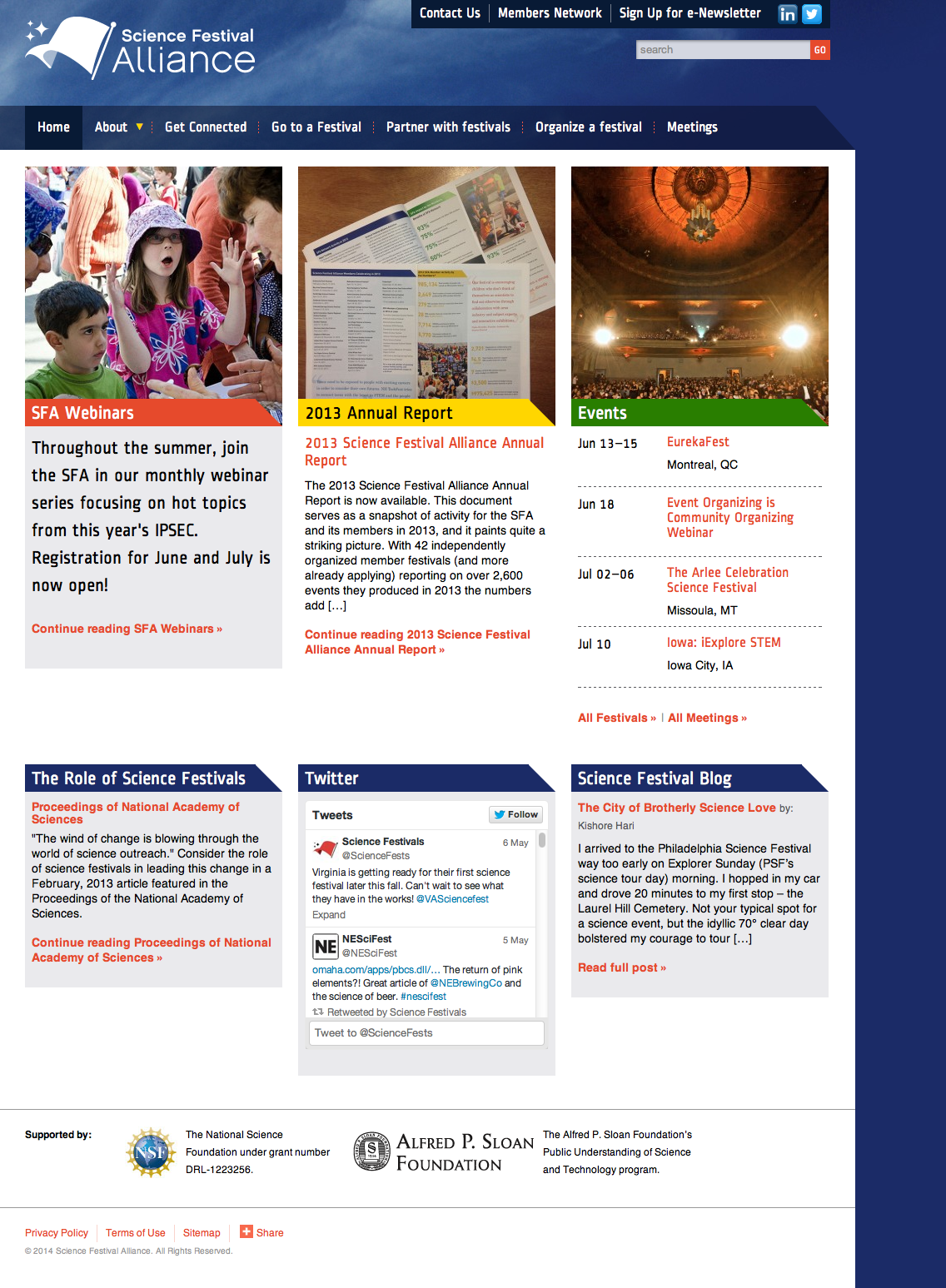
SFA home page
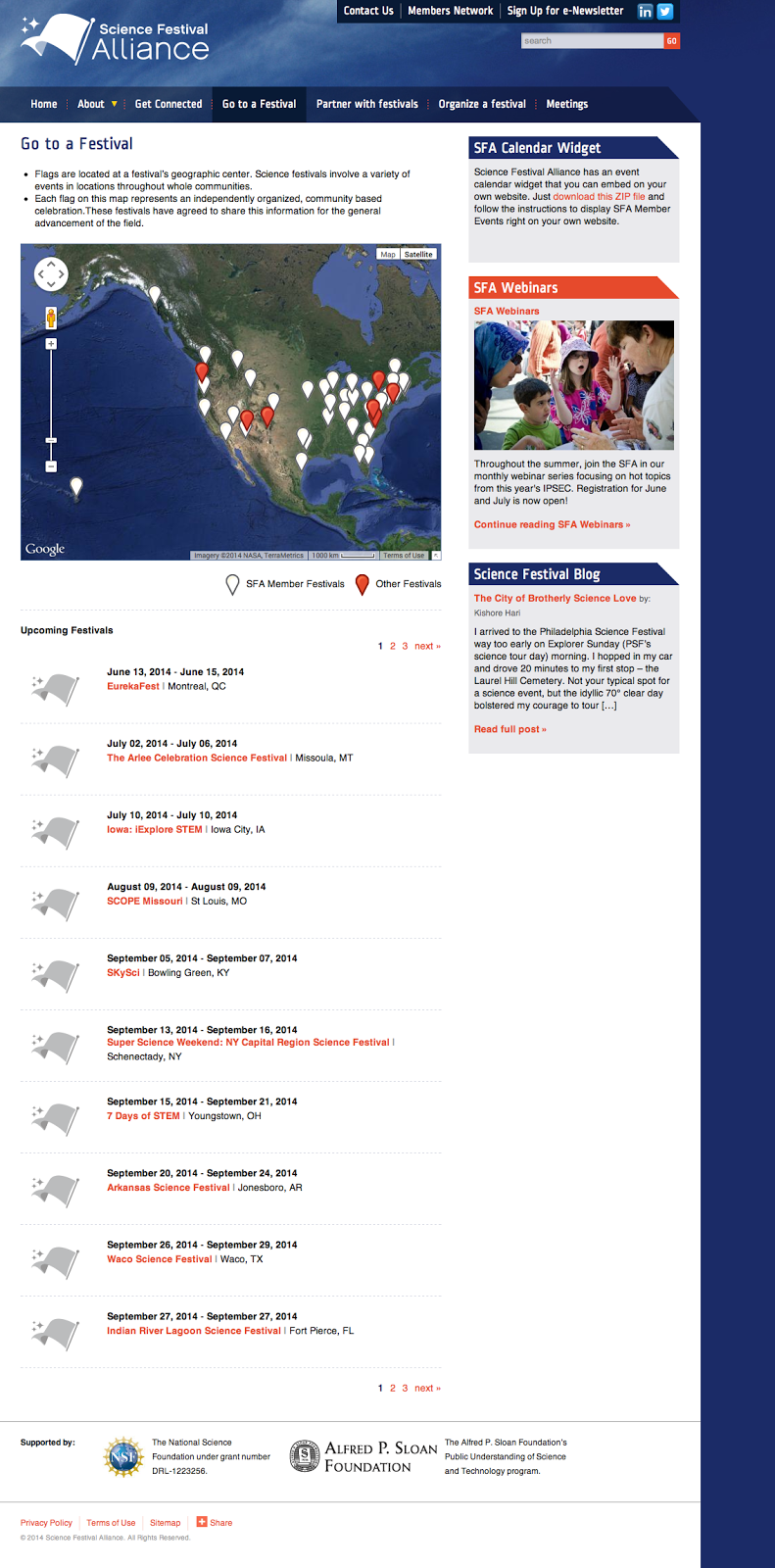
Map of member and non-member festivals worldwide
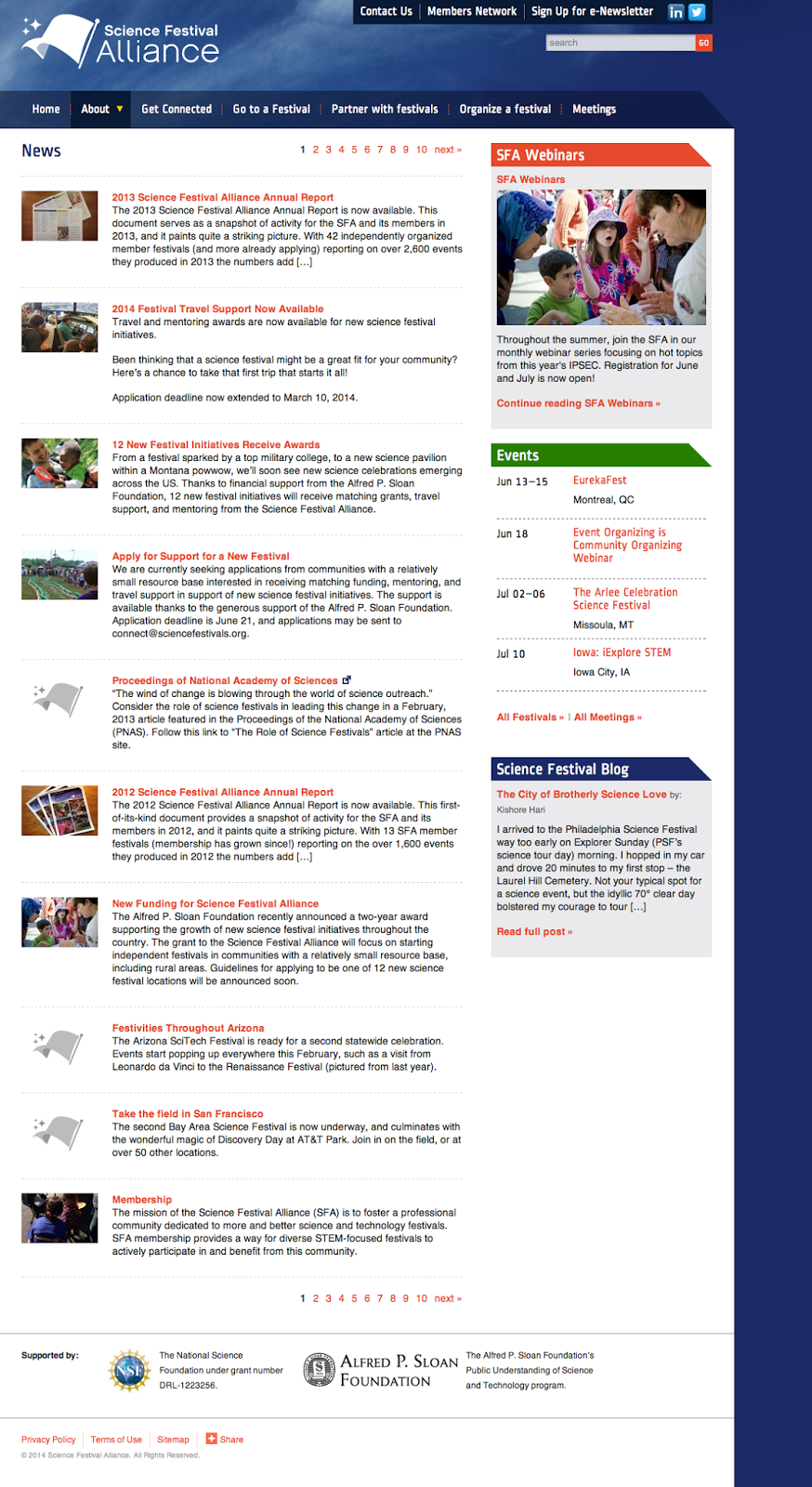
SFA news page
MIT Annotation Studio UI
Posted:
Monday, April 8, 2013 |
Posted by
Debby Levinson
|
Labels:
higher education,
portfolio,
user interface,
visual design
0
comments
Annotation Studio is a set of collaborative online annotation tools developed by MIT’s HyperStudio program. The software allows students to annotate literary texts and other documents with text, video, audio, and hyperlinks. Students may also view and build upon each other’s notes, allowing for a more participatory experience than traditional solo book review and annotations.
MIT approached us to refine Annotation Studio’s color palette, typography, iconography, and visual approach to displaying annotations and other metadata. To meet technical requirements, we designed styles and visual elements that could quickly be implemented within Twitter Bootstrap.
Work included:
- Heuristic review
- Visual design refinement

List of documents
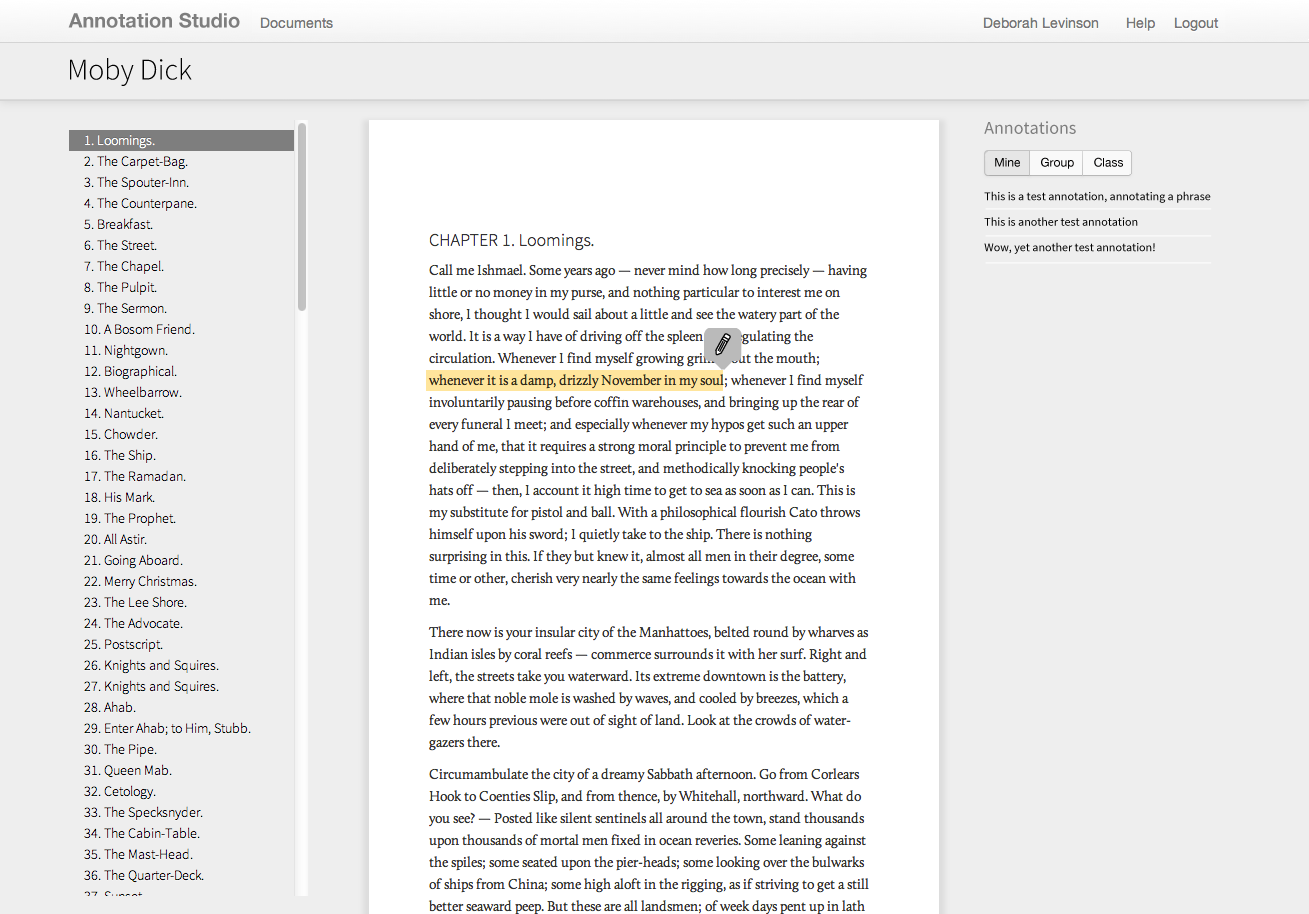
Highlighting text to annotate
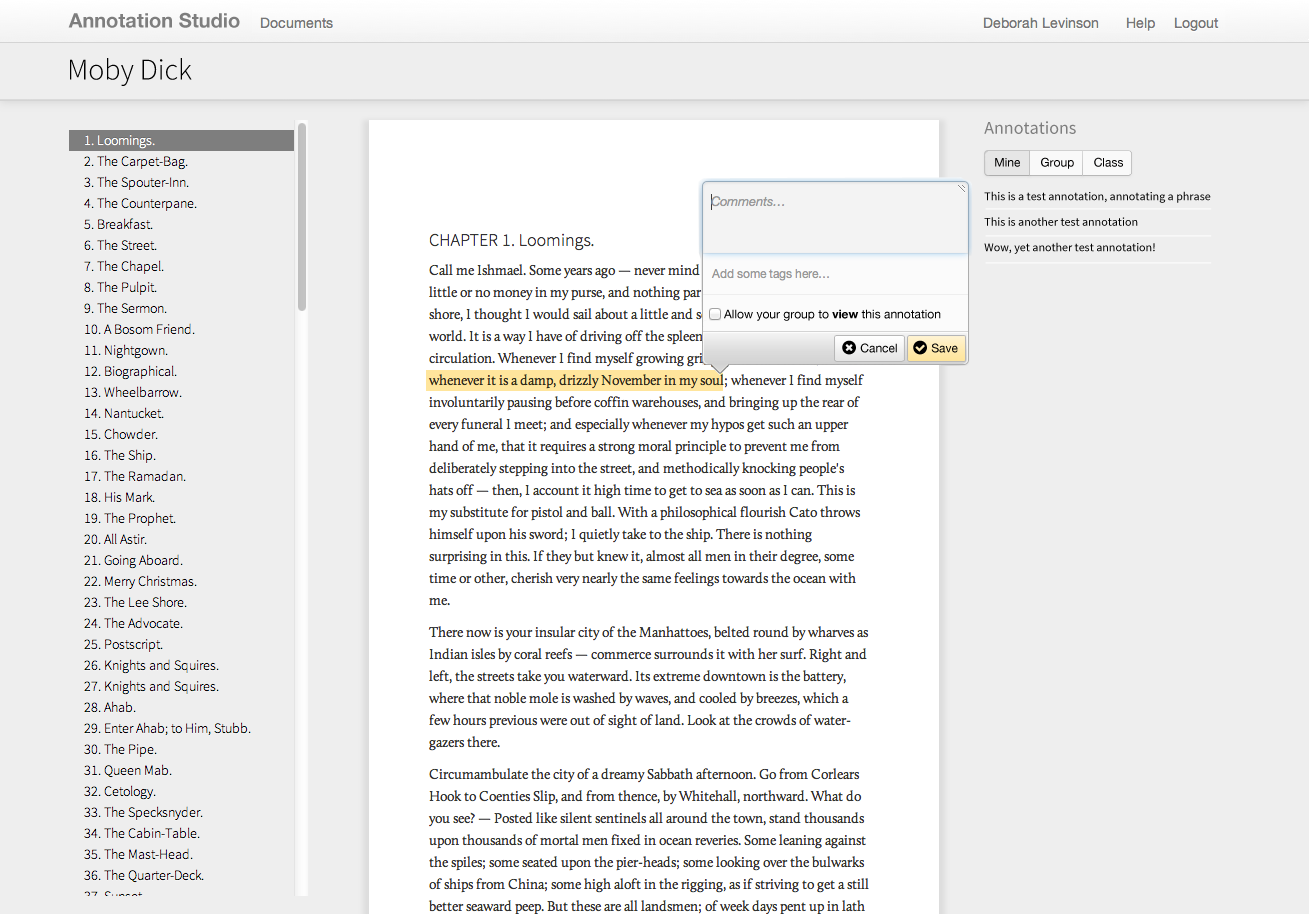
Saving an annotation
Juniper internal app research & concept
Posted:
Wednesday, April 3, 2013 |
Posted by
Debby Levinson
|
Labels:
enterprise,
mobile UI,
portfolio,
user experience,
user research
0
comments
Juniper Networks uses multiple internal tools to keep track of sales-related technical documentation. In an effort to consolidate those tools, Juniper approached us to design a proof-of-concept for a new, mobile-friendly application. We interviewed sales engineers as well as the people who manage and support them to understand the different situations and patterns of use. Based on those interviews, we designed multiple approaches for an intuitive, intelligent, and responsive search interface that guided users to the most recent and relevant information.
Work included:
- User research
- UX design
Subscribe to:
Posts (Atom)
What we're reading


Subscribe To


 Posts
All Comments
Posts
All Comments